|

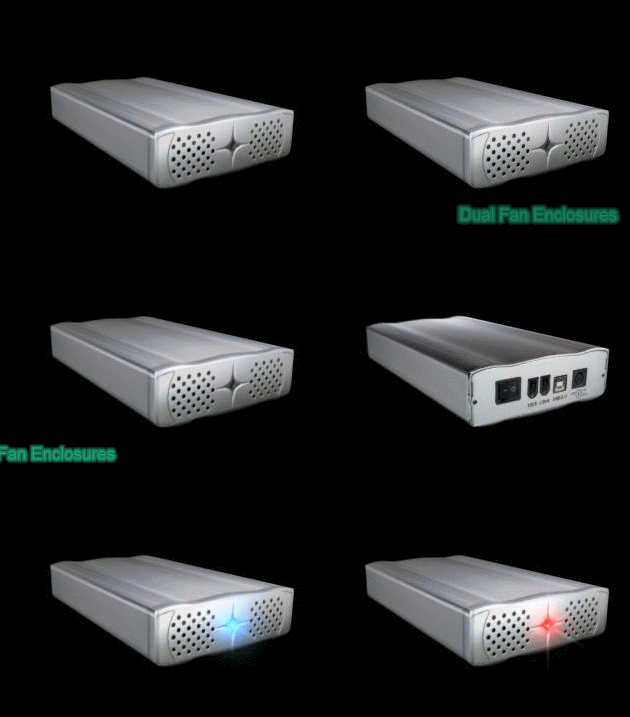
- Built with 2 Ball Bearing Fans in the Front
for air circulation to keep the Hard Disk Drives fresh constantly
avoiding the overheating when using high capacity HDD , and
make the unit work smoothly and to provide more HDD life time.
- Compatible with any 3.5" IDE Hard Drive
of any capacity for low storage or mass storage like 300Gb or
Higher.
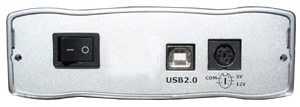
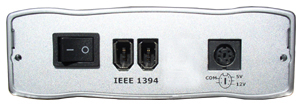
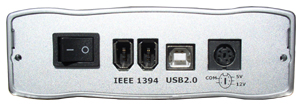
- Available in USB2.0, FireWire and Combo
Interfaces.
- Compatible with PCs an Mac systems Desktops,
Laptops, Notebooks.
These 3.5" External Enclosures will provide you
with the best & newest features for Mass Storage and Data back up
solutions. You can connect them to your computer by using either
USB 1.1/2.0 or Firewire Interfaces.. Easy to assemble and suitable
for mounting any 3.5" IDE hard disk drive. The case is powered via
an external power adapter - included. And the most important innovation,
this new enclosure has 2 built in Ball Bearing Fans for air circulation.

- New in retail box.
- Can be used with 3.5-inch IDE drives (internal)
- Quick and easy to disassemble and reassemble.
- Interface Transfer Rate: USBV2.0: 480Mbit
/ Sec, Firewire : 400Mbit / Sec
- IEEE 1394 FireWire + USB 2.0/1.1 interface
(COMBO)
- Works with PC and Mac
- Plug and Play
- Hot-swappable
- Supports Low Storage or Mass Storage like
300Gb Hard Drives or higher
- Supports up to UDMA/133
- No Max Hard Drive RPM
- 2 Ball Bearing Fans.
System and other requirements
- Windows 98SE/ME/2000/XP
- Mac OS 8.6 / 9.X / 10.X or above (Ver.10.3,10.1,10.12)
- USB 2.0/1.1 interface
- Available power outlet
- 3.5-inch internal IDE device
- For Window ME/2000/XP and Mac 9.0 or higher
use build in driver. (No need to install driver)
- Window 98SE driver installation required
Dimension and Warranty
- Dimensions: 240L x 130W x 40H mm
- Standard warranty: 1 year warranty
Package includes
- One 3.5" USB 2.0 and/or FireWire external
enclosure
- One External A/C adapter (100-240VAC)
- One USB cable, if USB Enclosure.
- One Firewire cable, if FireWire Enclosure.
- One USB cable + FireWire Cable, if Combo
enclosure.
- Driver on CD
- User guide.
|

 > Home
> Products > PM-350U2
> Home
> Products > PM-350U2